Admonitions
Admonitions — callouts — are little blocks for surfacing notes, warnings, tips,
and whatever else you need to highlight. In TMark they are containers, and
the canonical spelling is the ::: fence:
::: note {title="This is a Note"}
Any number of other Markdown elements.

This is the second paragraph.
:::
This is a Note
Any number of other indented Markdown elements.
This is the second paragraph.
Folding is an attribute, not a second fence family:
::: note {title="This is a Note" collapsed=true}
Any number of other Markdown elements.

This is the second paragraph.
:::
This is a Note
Any number of other indented markdown elements.
This is the second paragraph.
The PyMdownX spellings are kept indefinitely
!!! note "Title" and ??? note "Title" (collapsed) / ???+ (expanded)
remain accepted sugar for callouts, because MkDocs Material renders them
natively. They are one node whatever the spelling. Use whichever suits the
document; ::: is what the printer emits.
Print has no folding, so the strategy is declared once:
press:
  details: expand      # expand (default) | reference
reference moves the body of a collapsed callout to a grouped end-section
(“Solutions”, “Warnings”, …) and leaves a “See page N” link in its place.
LaTeX Rendering
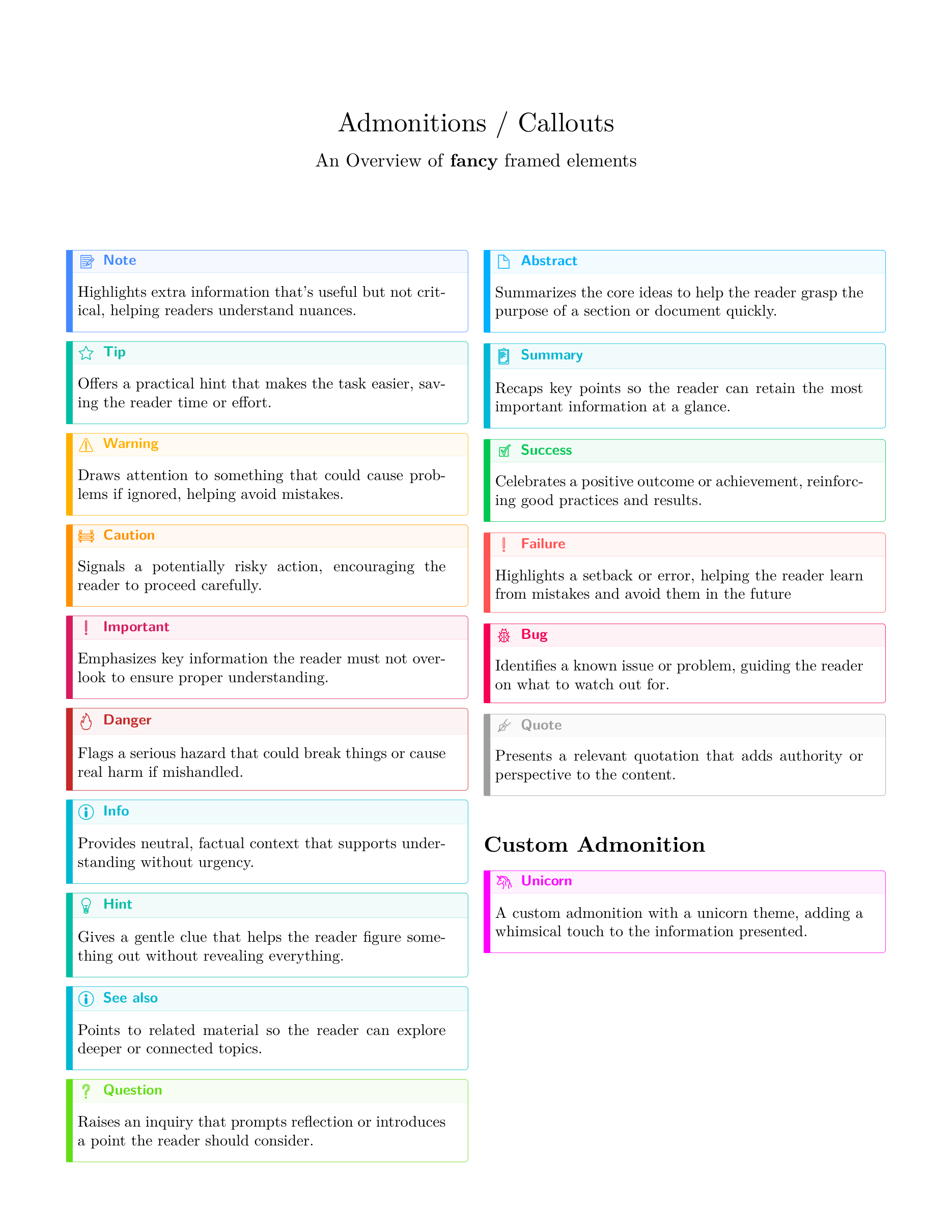
TeXSmith maps callouts onto the tcolorbox package through the ts-callouts
fragment, which provides the tscallout environment:
\begin{tscallout}[kind=note, title={This is a Note}]
…
\end{tscallout}
Template authors restyle them by redefining that environment or by appending to
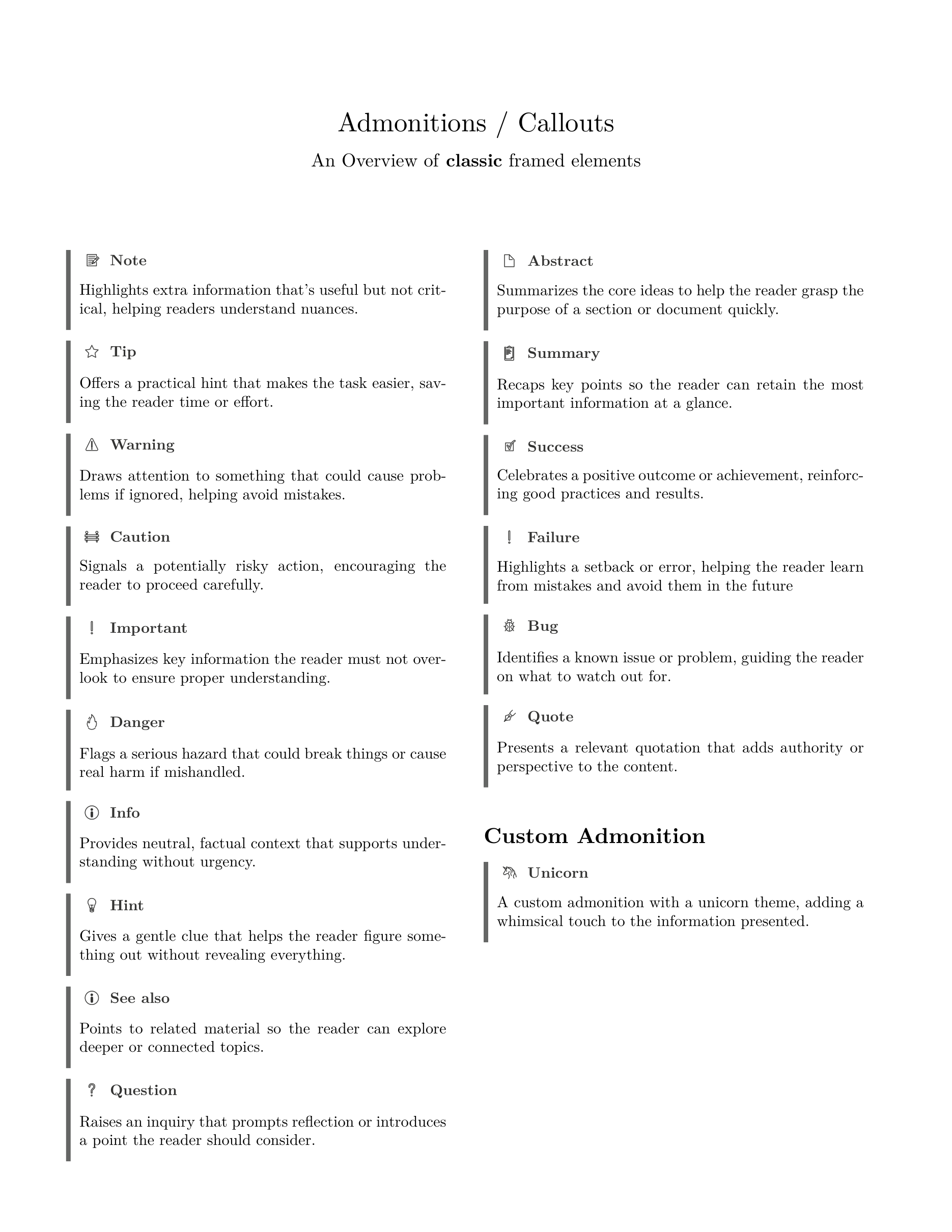
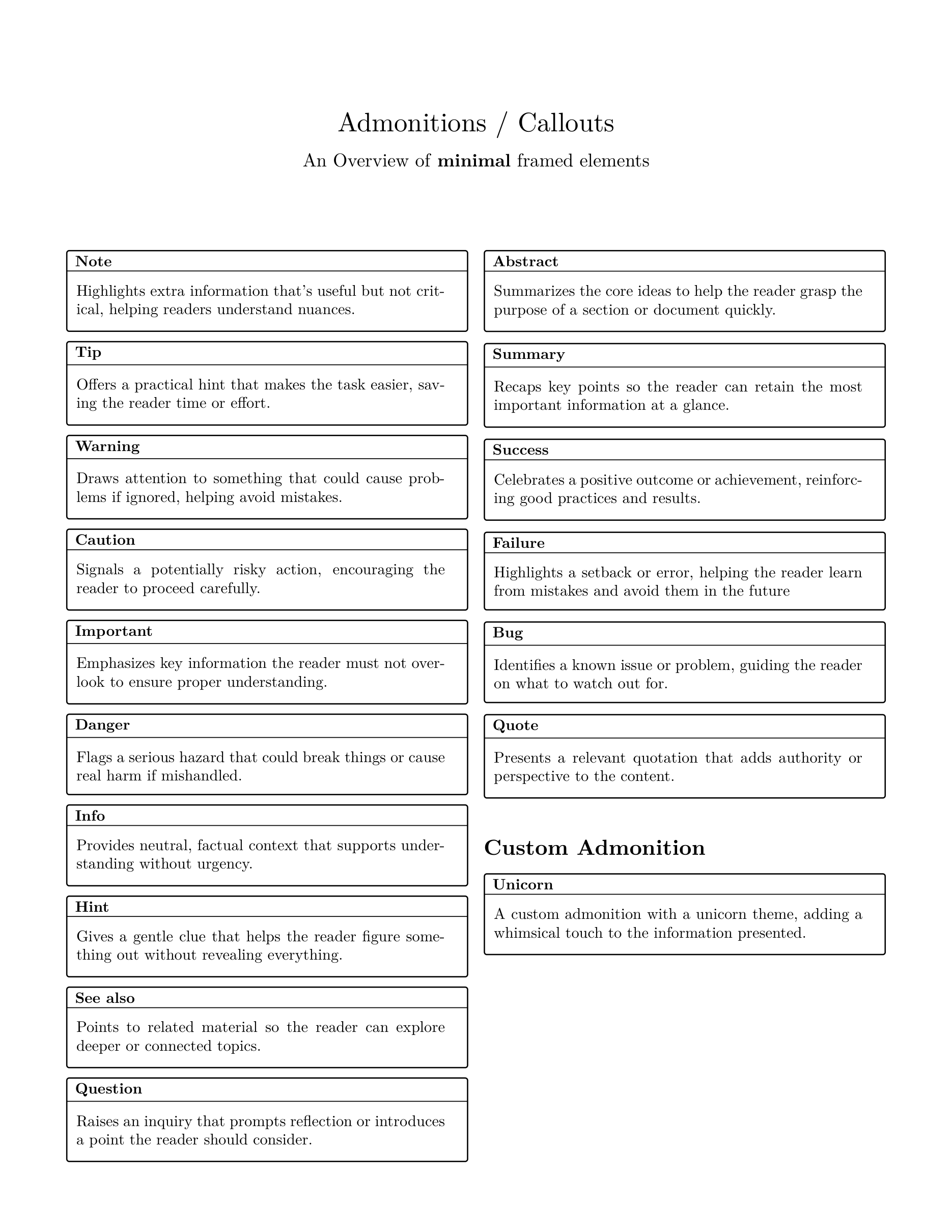
its pgfkeys family. Set the global look with press.callouts.style (or via
--attribute press.callouts.style=<style>):
---
press:
  callouts:
    style: classic  # fancy | classic | minimal
---
fancy(default): colored headings with icons.classic: black-and-white layout with a bold left rule.minimal: subtle border, rounded corners, and no icons.
press.callout_style and press.admonition_style are the deprecated names of
that key.
Custom types
A new kind of callout is a declaration, not a new container name. Declare what
it is under press.declare, and how it looks under press.callouts:
press:
  declare:
    admonitions:
      solution:
        name: Solution
        group: Solutions                          # section title under `reference`
        reference: "See page {page} for the solution"
  callouts:
    solution: {icon: "🎓", color: "#123456"}      # quote it: a bare # starts a YAML comment
---
press:
  declare:
    admonitions:
      solution: {name: Solution, group: Solutions}
---

::: solution {title="Exercise 3"}
Apply the chain rule twice.
:::
Theorem environments are exactly this, with a counter attached — see Theorems.
Default titles
A callout with no title= is titled after its kind, in the document's
language: !!! tip is Astuce in a French document and Tipp in a German
one. French, German, Spanish, Italian, Portuguese and Dutch are translated;
any other language keeps the English titles. On the web the titles are
Material's, which has a translation of its own for every language its
theme.language accepts.
The name of a kind you declare yourself is its title, in whatever language
you wrote it — which is also how to title a kind the table above does not
know, or to overrule one it does:
press:
  language: fr
  declare:
    admonitions:
      note: {name: Remarque}
      exercise: {name: Exercice}
Built-in Admonition Types
The following types are built in:
Note
A Note
Tip
A Tip
Warning
A Warning
Important
An important notice
Danger
A danger notice
Info
An info notice
Hint
A Hint
Seealso
A see-also notice
Question
A question notice
Abstract
An abstract
Content tabs
A tabs container holds tab containers, each with a title=:
:::: tabs
::: tab {title=Windows}
Windows is a Microsoft operating system.
:::
::: tab {title=Linux}
Linux is an open-source operating system.
:::
::::
On the web the reader sees one at a time; print has no interaction, so the
paged writers render the tabs in sequence, each as a titled block. The
PyMdownX spelling === "Windows" followed by its four-space-indented body is
accepted indefinitely — MkDocs Material renders it natively, and this very page
uses it above — but ::: is the canonical form and what the printer emits.
Other containers
The container names TMark knows form a closed registry. Besides the callout
types, aside, figure, tabs and tab, there are two layout containers:
::: multicolumn {cols=2}
The content flows in two columns.
:::

::: div {.grid .cards}
A container that means nothing: a hook for classes and an id.
:::
A name whose name is unknown raises container-unknown and renders its
content transparently rather than silently becoming a <div>. Nothing is lost
— the name is kept so the printer round-trips the file — you are simply told
the language does not know that word.
There is no mechanism to declare a container name, on purpose: a new kind
of thing is a declared callout type, and a block that must look a particular
way is div {.class} plus a template that knows the class.
::: div {.callout-sidebar}
Rendered by whatever the template defines for this class.
:::
A CommonMark HTML block whose opening tag carries the markdown attribute —
Python-Markdown's md_in_html — is sugar for a container named after the tag,
its id and class becoming the attribute list. <div markdown> is therefore
div, kept indefinitely because it is the only container spelling a
Python-Markdown site renders; any other tag is an unknown container, with the
diagnostic. HTML without the attribute is raw: CommonMark passes it through
as typed, and the paged writers drop it like any foreign raw, so
<span class="x">text</span> prints "text" and <br> prints nothing — a break
that must reach print is Markdown's hard break.
A layout container reaches the paged backends through one contract —
\begin{tsdiv}{name}[attrs] and #ts-div("name", ..) — dispatched on the name
with the attributes forwarded as keys (#id as id, classes as
class={a,b}, key=val as is; lang and media never), and <div class="name
…"> on the web. Redefining that contract for a name is how a template restyles
a layout, tabs included.
Foreign directives
A ::: line whose name is dotted is not a container at all. It is a
directive for another processor — mkdocstrings' syntax, its options in the
indented YAML that follows, with no closing fence — and so is
Python-Markdown's [TOC] paragraph.
[TOC]

::: texsmith.core.config
    options:
      members: true

Next paragraph.
TMark interprets neither. Each becomes a raw block kept verbatim: the
[TOC] form is the paragraph alone, the dotted form is the ::: line plus
every following line that is blank or indented by four spaces or more, so it
closes at the first dedent and the container fence rules — matching :::,
container-unknown, container-unclosed — never apply to it.
The printer emits the block as typed; the HTML writer and the paged writers
emit nothing, because the table of contents in print is press.toc and an
API reference has no print form. [TOC] is silent; a dotted directive raises
the hint directive-foreign, so a document meant for print does not lose a
block without notice.