Mermaid Diagrams
Just like MkDocs, TeXSmith understands Mermaid diagrams. Browsers render them on the fly, but PDFs need static assets, so TeXSmith converts each diagram into a vector PDF during the build. That requires either:
- Installing
mermaid-cliand its dependencies in your environment, or - Using Docker with the pulled image
mermaidjs/mermaid-cli.
Inline diagram
A Mermaid fence is a data directive whose node word is image:
```mermaid image
flowchart LR
    A --> B
    B --> C
```
A bare ```mermaid fence means the same thing — image is the one
default that is not code, because that is what MkDocs Material and every
Mermaid-aware renderer do with it. The sugar is kept indefinitely for exactly
that reason. To show the source as a listing instead, ask for mermaid code:
```mermaid code
flowchart LR
    A --> B
```
flowchart LR
    A --> B
    B --> C
External diagrams
Sometimes diagrams live better outside the Markdown. TeXSmith supports:
- Reference external
.mmd/.mermaidfiles. - Embed Mermaid Live snippets using
pako:URLs for live editing.
Diagram sources are images: the extension recognises the format from the path and converts inline and external sources the same way.
Using a .mmd file is as simple as including an image:

Mermaid Live encodes diagrams via Pako (a compression library) so you can share/edit them through URLs:

When TeXSmith renders HTML/PDF it wraps the image with a link to the Mermaid Live editor. Click the preview to inspect the source:
LaTeX Rendering
Here’s how the diagrams look once TeXSmith embeds them:
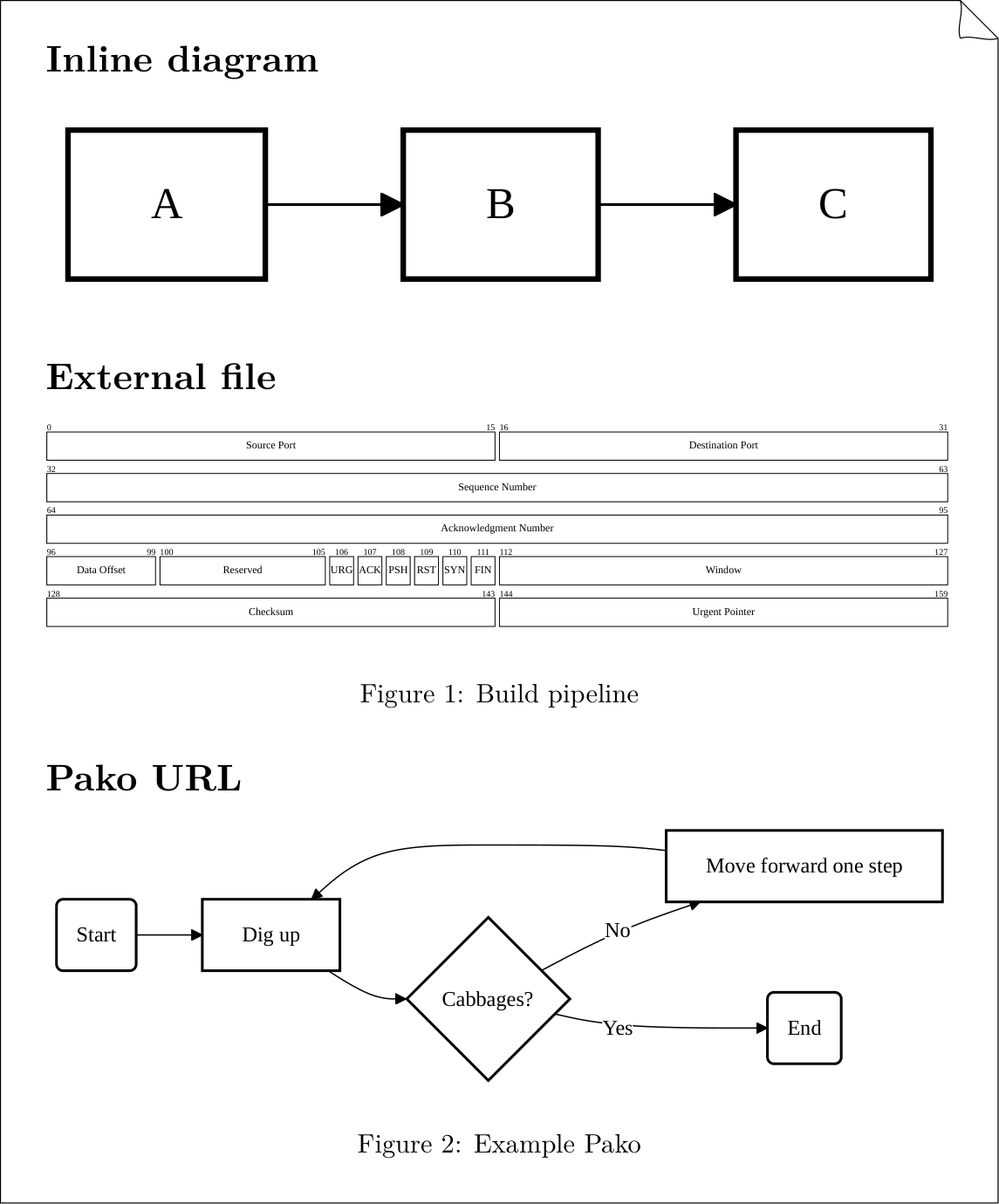
Conversion by TeXSmith
All Mermaid diagrams are converted to PDF and included with \includegraphics
so they integrate cleanly with templates and LaTeX floats.
Add a caption line to promote the diagram to a numbered figure:

Figure: The documentation build pipeline. {#fig:pipeline}
Printed output might deserve a different theme. Point mermaid_config to a JSON config (front matter or CLI --attribute press.mermaid_config=...) to override:
---
press:
  mermaid_config: mermaid-config.json
---
Alternatively, you can add a mermaid-config.json file to the ~/.texsmith/ directory
to apply it globally to all your TeXSmith projects.